Article Highlights
- Claude's Opus, Sonnet, and Haiku models already power enterprise tools you use—Microsoft, Google, GitHub, Slack, and Salesforce—so Claude.ai fluency transfers directly to your sanctioned stack.
- Anthropic's public Agent Skills repository let anyone publish, share, and fork Skills, raising the ceiling on what one person can accomplish in a day.
- Claude handles complex instructions with fewer iterations, and the mental models, workflows, and prompting discipline carry over to every tool built on it.
- Learning Tree's one-day Introduction to Claude AI course teaches the three features that do the heavy lifting: Projects, Artifacts, and Skills.
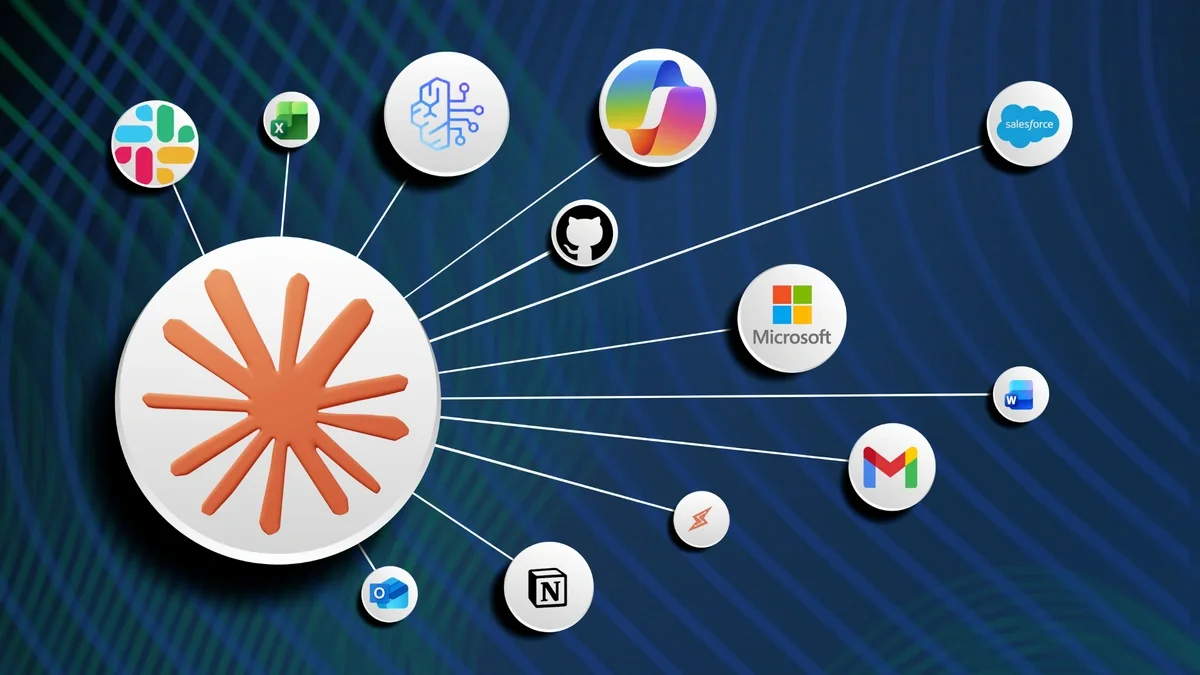
Another day, another AI tool. Between Copilot in Microsoft 365, Gemini in Google Workspace, enterprise ChatGPT, and whatever guardrailed wrapper your IT team rolled out last quarter, the volume is exhausting. So it is fair to ask: why learn Claude.ai if your company has not rolled it out yet?
Because Claude is the intelligence, and it is showing up in places your organization almost certainly already uses or is evaluating. Anthropic's models are increasingly embedded across enterprise offerings, from Microsoft and Google productivity tools to GitHub Copilot, Notion, Slack, Salesforce, and a long and growing list of vertical platforms. The Opus, Sonnet, and Haiku you meet in Claude.ai are the same brains you will likely meet inside your sanctioned enterprise stack.
The Agent Skills Moment That Shifted the Ceiling
When Anthropic opened its public Agent Skills repository on GitHub, something shifted. Skills are folders of instructions, scripts, and resources that Claude loads on demand to get better at specialized tasks. Suddenly anyone could publish, share, or fork one. Within weeks, teams were trading Skills the way developers trade code. It was the moment Claude started feeling like a new revolution in productivity, quietly changing the ceiling of what one person can accomplish in a day of high-level, specialized knowledge work.
Why Your Colleagues Are Already Experimenting
The reason your colleagues are likely already experimenting with Claude is that it handles complex instructions with fewer iterations. Same user, same task, different outcome. And the good news for skeptics: the mental models transfer. The workflows transfer. The discipline of structured prompting transfers. That makes Claude.ai the best practice ground available today, and the teams that get fluent first will set the bar for everyone else.
A One-Day Entry Point That Respects Your Time
If you have been waiting for the right entry point into Claude—one that respects your time, skips the hype, and sends you back to your desk with techniques you will actually use Monday morning—this is it. Sign up for Learning Tree's new one-day course, Claude Essentials: Practical AI You Can Use Today. The course runs four 90-minute modules, opening with the foundations of multi-modal prompting and then taking you through the three features inside Claude.ai that do most of the heavy lifting.
Want Claude to dive into mountains of data right away? Get the know-how that you can use right away in our other new course, Claude in Excel: AI Powered Workflows, also just one day.
Projects: Memory That Survives the Chat Window
Projects give Claude a memory that survives the chat window. Upload your reference material once, set custom instructions once, and every new conversation inside the Project starts with that context already loaded. No more pasting the same background into every chat.
Artifacts: Outputs That Become Living Documents
Artifacts turn Claude's outputs into living documents. Instead of copying text out of a chat into Word, you iterate on an editable artifact right next to the conversation. Reports, checklists, dashboards, and templates evolve across prompts without losing prior versions, and they export cleanly when you are ready to ship.
Skills: Your Institutional Knowledge, Bottled
Skills are where it gets genuinely fun. A Skill packages a repeated multi-step prompt into a one-click reusable tool—your team's institutional knowledge, bottled. You can build your own or pull from the public Anthropic Skills repository that started the revolution in the first place.
Hands-On and Scoped to What You Can Use Today
The course is hands-on. Every concept is paired with a case-study exercise. As a bonus, there is a quick touchpoint on Claude Design for wireframing and prototyping to sketch ideas visually. The course is scoped tightly to what you can use today inside Claude.ai. Agentic workflows, Claude Code, MCP, Cowork, and plugins are deliberately out of scope. They are powerful, but they are a different conversation.
One Day. Four Modules. A Workflow You Will Keep Using.
The teams that build fluency first will define how everyone else works with AI. Spend one professional day learning the workflows that transfer to every tool built on Claude, and walk back to your desk with techniques you will actually use.
Frequently Asked Questions (FAQs)
What is Claude.ai?
Claude.ai is Anthropic's AI assistant, powered by its Opus, Sonnet, and Haiku models. The same models are increasingly embedded across enterprise platforms, including Microsoft and Google productivity tools, GitHub Copilot, Notion, Slack, and Salesforce, so the skills you build in Claude.ai transfer directly to the tools your organization already uses.
Why should I learn Claude.ai if my company hasn't rolled it out yet?
Because Claude is the underlying intelligence showing up across the enterprise stack you already use or are evaluating. Learning Claude.ai now builds transferable mental models, workflows, and structured-prompting discipline, so the teams that get fluent first set the bar for everyone else.
What are Projects, Artifacts, and Skills in Claude.ai?
Projects give Claude persistent memory across conversations by loading your reference material and custom instructions once. Artifacts turn Claude's outputs into editable, version-aware living documents you iterate on next to the chat. Skills package a repeated multi-step prompt into a one-click reusable tool, drawing on your own builds or the public Anthropic Agent Skills repository.
What does Learning Tree's Introduction to Claude AI course cover?
The one-day course runs four 90-minute modules, starting with the foundations of multi-modal prompting and then working through the three features that do the heavy lifting inside Claude.ai: Projects, Artifacts, and Skills. It is hands-on, pairing every concept with a case-study exercise, and includes a brief touchpoint on Claude Design for wireframing. Agentic workflows, Claude Code, MCP, Cowork, and plugins are intentionally out of scope.